Face Recognition Attendance System: How It Works and When to Use It
How face attendance terminals and apps match faces, where they fail, when to pick them over fingerprint, and what employees must be told.
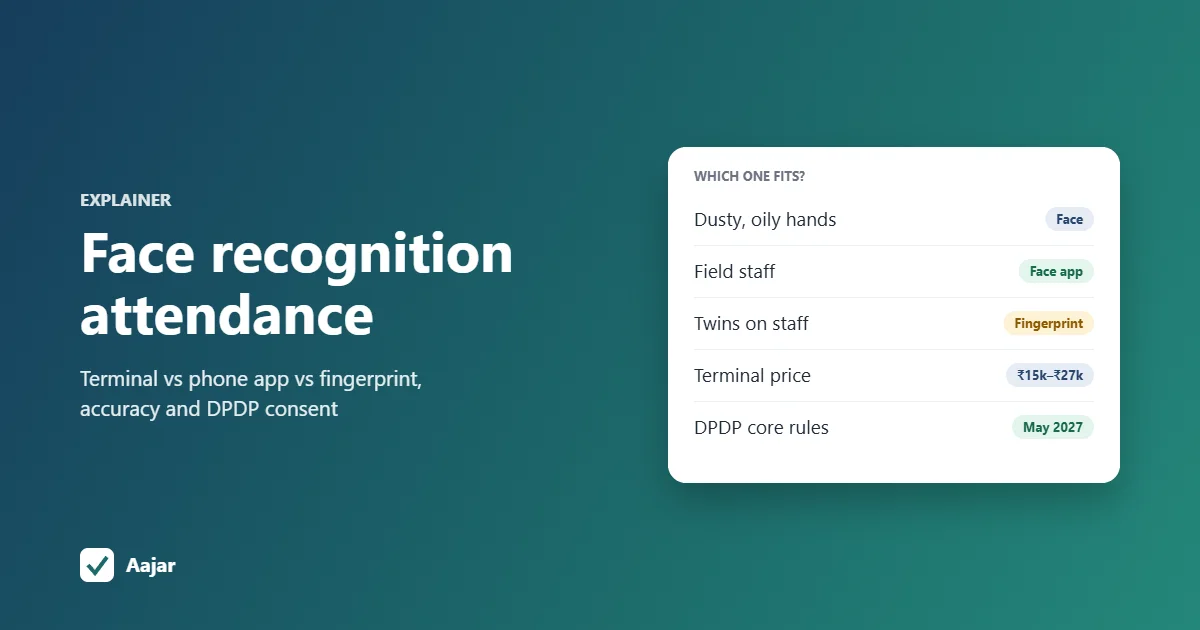
Short answer: a face recognition attendance system marks attendance by matching an employee's face against a face template saved at enrolment, either on a wall-mounted face terminal or through a face attendance app on a phone. Terminals suit one fixed entry point; apps suit field staff and small offices. Under the DPDP Act, 2023, face data is personal data, so tell employees what you collect and why, and keep it secure. Face beats fingerprint where hands are dusty or oily, but it struggles with poor lighting, helmets and look-alike faces.
This guide explains how face matching works, where it goes wrong, how to choose between a terminal, a phone app and a fingerprint machine, and what to put in a consent notice for employees.
What is a face recognition attendance system?
It is a way of recording check-in and check-out where the employee's face is the proof of identity, instead of a signature, card or fingerprint. A camera captures the face, software compares it with the face enrolled for that employee, and if they match, the punch is saved with the date and time.
There are two common forms in Indian workplaces. Both use the same idea; they differ in where the camera is and who owns it.
Face terminals vs face attendance apps
| Face terminal (wall device) | Face attendance app (phone) | |
|---|---|---|
| Where the camera is | Fixed at the gate or office entrance | The employee's own phone, or a shared tablet |
| Who it suits | Factories, warehouses, offices with one entry | Field staff, multiple small sites, remote workers |
| Upfront cost | A device per entry point (see prices below) | No hardware; a per-user software fee |
| Proves location? | Yes, the device is in a known place | Only if paired with GPS or geofencing |
| Needs a smartphone per employee? | No | Yes, unless you use a shared kiosk phone |
| Where data goes | Stored on the device, then pushed to software | Sent from the phone to the app's server |
Government offices use both models. The Aadhaar Enabled Biometric Attendance System (AEBAS) now offers face authentication on smartphones through UIDAI's Aadhaar Face RD service, alongside fingerprint and iris devices (NIC Informatics: AadhaarBAS app). That system is only for government employees; private companies use commercial terminals or apps.
How does face recognition attendance work?
Every system, whether a ₹15,000 terminal or a phone app, follows roughly the same steps.
- Enrolment. HR or the employee captures one or more clear photos of the face, in good light, with no cap or mask. This is done once, and redone if the person's appearance changes a lot.
- Template creation. The software turns the face into a set of numbers (a template) that describes its features. Most systems store this template, and some also keep the enrolment photo.
- Capture at punch time. The employee looks at the terminal or takes a selfie in the app.
- Liveness check. Better systems check that a real, live person is in front of the camera and not a printed photo, a screen or a video.
- Matching. The new capture is compared with the stored template. If the similarity score is above the threshold set by the vendor, it is a match.
- Recording. The punch is saved with the time, and on an app usually the location. A failed match is rejected, or saved and flagged for HR to review, depending on the system.
What is liveness detection, and why does it matter?
Without liveness detection, a colleague could hold up a photo of an absent worker and mark them present. This is called a presentation attack or spoofing. Terminals often use infrared or depth cameras for this; apps use checks such as blinking, turning the head, or analysing the image for signs of a screen.
Vendors describe this in different ways ("anti-spoofing", "live face detection"). Ask the vendor how it is done and whether it has been tested, rather than relying on the brochure word.
How accurate is face attendance in real workplaces?
Accuracy depends on the algorithm, the camera and the conditions on the day. A US National Institute of Standards and Technology study of 189 algorithms found that many produced 10 to 100 times more false matches for some demographic groups than others, while the most accurate algorithms showed the smallest gaps (NIST: Effects of Race, Age, Sex on Face Recognition Software). The practical lesson is that vendors differ, so test with your own staff before you buy.
| Problem | Why it happens | What helps |
|---|---|---|
| Poor or uneven lighting | Dark corridors, strong backlight from a gate or window | Mount the terminal away from direct sunlight; use devices with infrared or a built-in light |
| Outdoor use | Sun glare, rain and dust on the lens | Put the device under a shed or awning; check its ingress (IP) rating |
| Masks | Half the face is hidden | Choose a device that supports mask recognition, or ask staff to lower the mask for a second |
| Helmets, caps, hairnets, safety goggles | Forehead and eyes are covered | Punch before putting on PPE, or enrol with the PPE your staff always wear |
| Identical twins and close relatives | The faces really are very similar | Add a second factor (PIN or card) for those employees, or use fingerprint |
| Ageing, weight change, beard or new glasses | The face no longer matches the old template | Re-enrol when matches start failing; many systems update templates over time |
| Skin tone and demographic differences | Some algorithms were trained on less varied data | Run a trial with your actual workforce and count failed matches |
| Cheap phone cameras | Low resolution, blur, poor low-light performance | Allow a shared office phone or tablet as a backup check-in point |
A simple trial: enrol 10 to 15 employees, let them punch for two weeks, and count how many punches needed a retry or a manual correction. If more than a few in a hundred fail, change the placement, the lighting or the vendor before rolling out to everyone.
Face recognition vs fingerprint: which should you choose?
Neither is better everywhere. Face works without touch, so it is the better choice where hands are dirty, worn or gloved; fingerprint is cheaper and more forgiving of lighting. A phone app is the only one of the three that works for staff who never come to one fixed place.
| Situation | Face terminal | Face attendance app | Fingerprint machine |
|---|---|---|---|
| Workers with dusty, oily or cut fingers (factory, construction, kitchen) | Good | Good | Poor, frequent failed reads |
| Hygiene matters (hospital, food processing) | Good, no touch | Good, own phone | Shared surface |
| Field staff, sales, guards at client sites | Not practical | Best, with geofencing | Not practical |
| Workers without smartphones | Good | Needs a shared device | Good |
| Bright outdoor gate | Needs shade | Depends on phone | Works if shaded from rain |
| Twins or look-alikes on staff | Weak, add PIN or card | Weak, add review | Good |
| Upfront cost for one site | Higher | None | Lowest |
| Stops buddy punching | Yes, if liveness is good | Yes, if liveness or review is good | Yes |
Face terminals listed on Indian dealer sites in October 2026 ranged roughly from ₹15,000 to ₹27,000, depending on face capacity, card and fingerprint support and Wi-Fi; for example, an eSSL face terminal with 3,000 face templates was listed at about ₹19,000 including GST (dealer listing, checked 18 Oct 2026) and another at about ₹26,500 (IndiaMART listing). Treat these as approximate; ask two or three dealers for a quote that includes installation.
Three examples
- A 60-worker factory with one gate: workers handle oil and metal, so fingerprint reads fail often. One face terminal at the gate, under a shed and away from the sun, is usually the best fit. Ask staff to punch before putting on helmets.
- A 25-person retail chain across 5 stores: five terminals would cost more than a year of software. A face attendance app on each employee's phone, or one shared phone per store, combined with a geofence around each store, covers it.
- A 40-guard security agency: guards work at client sites and change posts. Only a phone app works here, with face check-in plus the location of the punch. Our guide to GPS and geofence attendance for field staff covers the location side.
Is face attendance legal, and what does the DPDP Act require?
Yes, Indian law does not ban face attendance. But a face image or template is personal data that identifies a person, so the Digital Personal Data Protection Act, 2023 (MeitY) applies to how you collect, use, store and delete it.
| Rule in the Act | What it means for face attendance |
|---|---|
| Notice (section 5) | Tell employees what face data you collect, the purpose, and how to exercise their rights and complain to the Data Protection Board. |
| Consent (section 6) | Where you rely on consent, it must be free, specific, informed and unambiguous, and as easy to withdraw as to give. |
| Legitimate uses for employment (section 7(i)) | The Act allows processing for employment purposes without consent. Whether this covers biometric attendance when a non-biometric option exists is not yet settled, so many employers give notice and take consent anyway. |
| Security (section 8(5)) | Take reasonable safeguards against a data breach, including at your software vendor. The penalty for failing to do so can go up to ₹250 crore (Schedule to the Act). |
| Breach reporting (section 8(6)) | Inform the Data Protection Board and affected employees if face data leaks. |
| Erasure (section 8(7)) | Delete face data when consent is withdrawn or the purpose is over, for example when an employee leaves, unless a law requires you to keep it. |
The DPDP Rules, 2025 were notified in November 2025 with an 18-month phase-in, so most core obligations apply from May 2027 (PIB explainer on the DPDP Rules). MeitY has proposed bringing parts of this forward, and no final decision had been announced when we checked on 18 October 2026, so timelines may change. Starting now costs little and avoids a rush later.
Consent notice checklist for employers
Give this to each employee in writing (on paper, by email or in the app) before you enrol their face.
- What you collect: face photo, face template, punch time, and location if the app records it.
- Why: attendance and payroll only. Say clearly that it won't be used for anything else.
- Who processes it: name the device maker or software vendor that stores it.
- Where and how long: on the device, in the cloud, or both; and that it will be deleted when the person leaves (give a time, such as within 30 days of the last working day).
- The alternative: say what happens if someone does not want face attendance, such as a PIN, card or fingerprint. Offering one makes consent more clearly "free".
- How to withdraw or ask questions: a named HR contact or email.
- Record of consent: a signature, a tick in the app, or an email reply, kept on file.
How do you set up a face attendance system?
- Decide the model: terminal, app or both, using the decision table above.
- Give the notice and collect consent before anyone is enrolled.
- Enrol in good light, without caps or masks, and test each person once on the spot.
- Run a two-week pilot with one team and track failed matches.
- Set rules for failures: who reviews flagged punches, and how a missed punch is corrected.
- Connect to your attendance and payroll software, so punches become payable days without retyping. If you have an eSSL machine, see how to connect an eSSL biometric device to a cloud app.
- Delete leavers' face data as part of your exit checklist.
If you are still comparing tools, our guide on how to choose an employee attendance app lists the other features to check.
Face check-in on Aajar
Aajar's Face check-in add-on matches the selfie an employee takes at clock-in or clock-out with their enrolled face; mismatches are flagged or blocked. It costs ₹5 per user per month on the Growth (₹35) and Business (₹50) plans, and is off until you switch it on. Growth also includes geofenced check-in. It is not available on Starter.
If you already use eSSL face or fingerprint terminals, the Business plan syncs their punches to Aajar over ADMS cloud push, without an eTimeTrackLite PC. Aajar does not sell face terminals, and it does not write your DPDP consent notice for you. Every plan is free for 3 months for organisations with up to 50 users; see Aajar pricing.
Frequently asked questions
What is a face recognition system?
It is software that identifies or verifies a person by comparing a camera image of their face with a stored face template. In attendance, it confirms that the person punching in is the employee they claim to be.
What are face detection time attendance machines?
They are wall-mounted terminals with a camera that recognise enrolled faces and record punch times. Most also accept a PIN, card or fingerprint, and send data to attendance software over the network.
What is the best face recognition attendance system in India?
There is no single best one; it depends on whether your staff work at one gate or in the field. Test two or three options with your own employees for two weeks and pick the one with the fewest failed matches and a clear way to delete face data.
How to develop a face recognition attendance system?
Student projects usually use an open-source face library with a camera and a database, which is fine for learning. For a business, liveness detection, security and DPDP compliance are hard to get right, so most companies use a tested terminal or face attendance app instead of building one.
Does face attendance work with masks or helmets?
Some terminals support mask recognition, but accuracy drops when the face is covered. Ask staff to lower masks or punch before putting on helmets and goggles.
Do employees have to consent to face attendance?
The DPDP Act allows some processing for employment purposes without consent, but whether biometric attendance falls under it is not yet settled. Giving a clear notice, taking consent and offering an alternative is the safer course.
This article is general information, not legal advice.
Keep reading
Rotational Shift: Patterns, Fair Planning and a 24x7 Example
Rotation patterns compared, a fair-planning checklist and a 3-week roster for a 24x7 site that stays within 48 hours a week.
Shift Management for Small Teams: Coverage, Swaps and Fairness
How many staff each shift needs, worked through for a 15-person restaurant, plus shift swap rules and ways to keep rosters fair.
Duty Roster Format: Free Shift Roster Templates for Retail, Security and Hospitals
Three ready duty roster formats for retail, security and hospital wards, plus shift codes and Excel steps to build your own.